Creating Your First Carbon Report For A Specific Customer In 5 Minutes
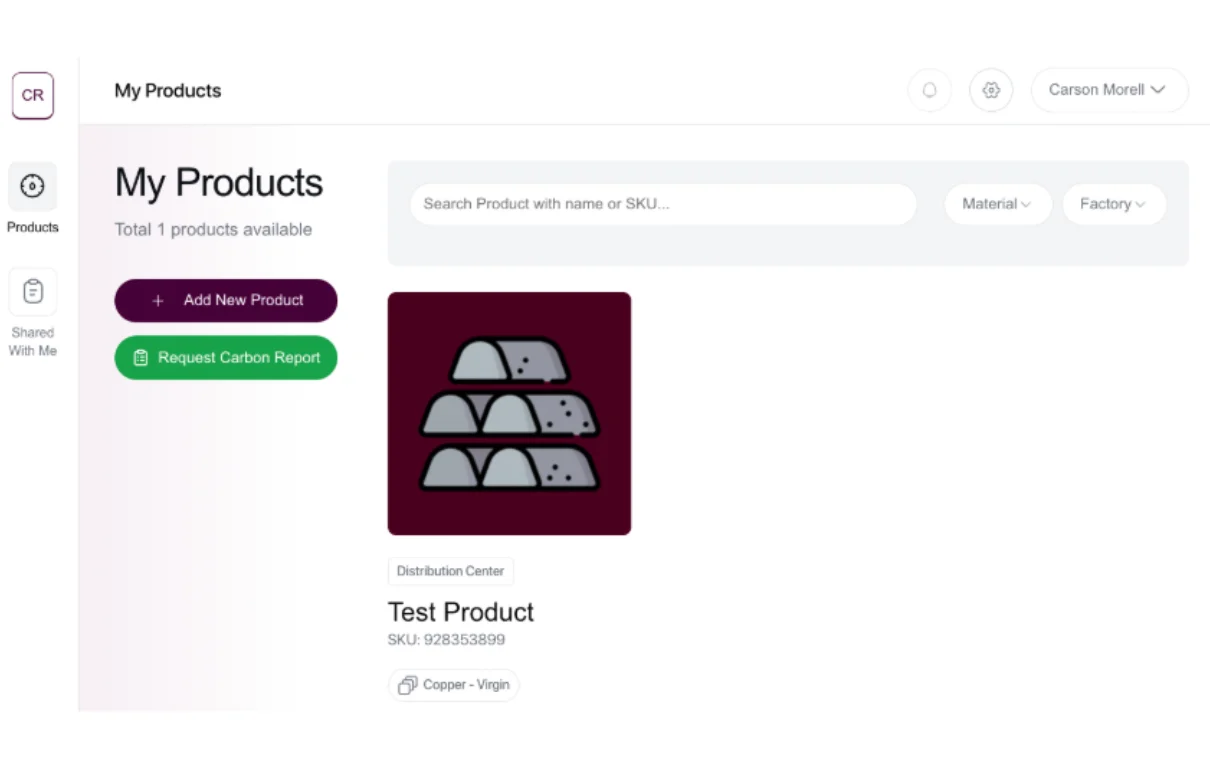
If you're reading this, you've likely added your first product to your library on Carbon Report. If not, make an account here. Otherwise, read on to learn about creating your first Carbon Report.
1. Open the Products page in your Carbon Report Dashboard
You should see your first product in your library. Click on it to open up the product page.
2. Open the + Create New Carbon Report Form
Select the purple button on the product page to open the form.
3. Time to Create Your First Carbon Report
Simply fill out the form for the Carbon Report you want to create. Keep in mind, this is for a specific order for a specific customer of yours, so be sure to include the exact quantity and address. You can edit and create as many reports as you'd like, so don't worry if you make a mistake. Creating your first Carbon Report should take less than 5 minutes.
4. Save or Save & Send Your Finished Carbon Report
You can now save your Carbon Report, or save and send it directly to your customer. The finished Carbon Report includes everything from material to packaging, logistics, and factory emissions — to help you and your customers identify alternatives that lower your carbon footprint.
Thanks for using Carbon Report! You can view additional resources on our Articles page.